Lightweight: Gym App

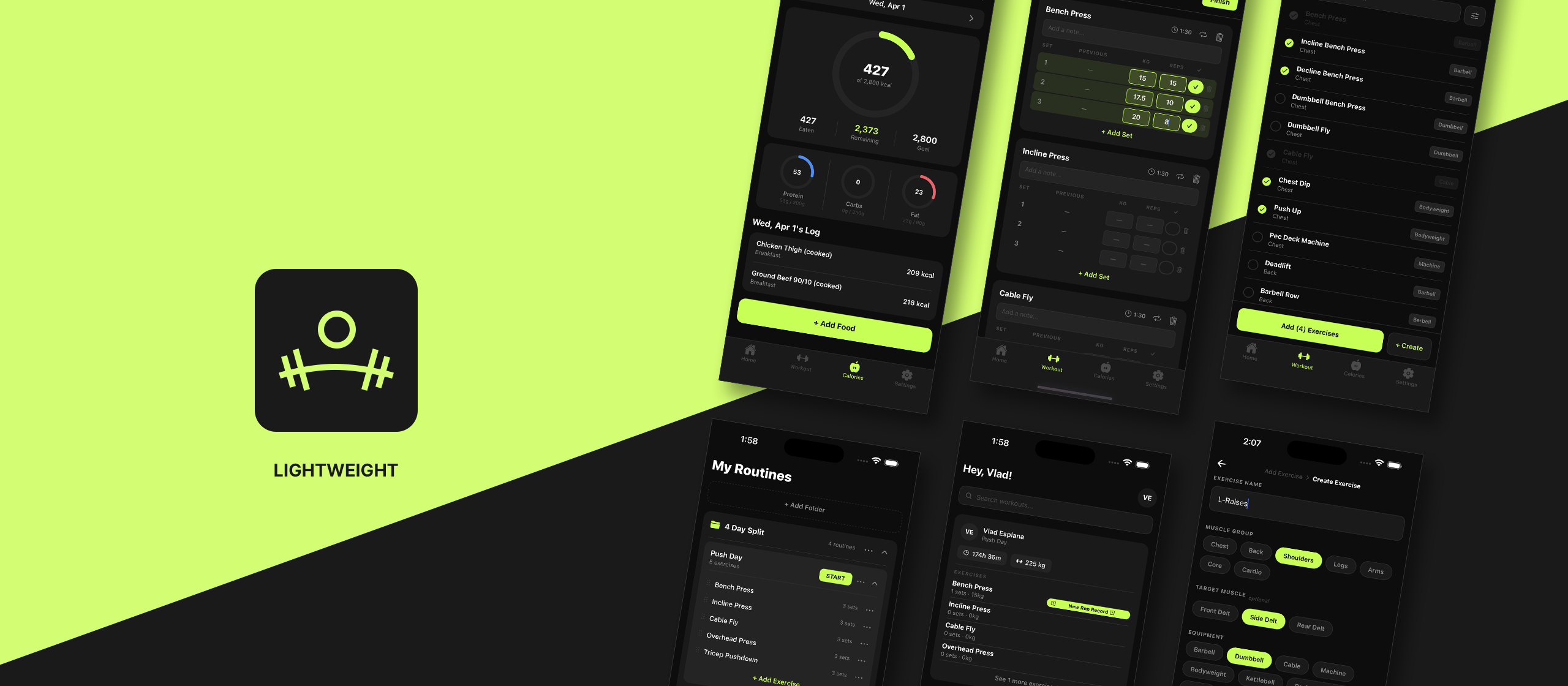
Lightweight is a focused mobile app designed for everyday gym goers who need two things done well: logging their workouts and tracking their calories.
client
Contour
year
2025
Category
Product Design
Live Project
Tools
  • Figma
  • Photoshop
  • Illustrator
  • Claude Code
Brief

Lightweight is a focused mobile app designed for everyday gym goers who need two things done well: logging their workouts and tracking their calories. Built as a portfolio project, it demonstrates cross-platform product thinking. From user research and Figma prototyping to a clean, production-ready UI shipped on iOS, Android, and the web. The app is deliberately scoped to show that great product design is about knowing what to leave out, not just what to put in.

Problem

A gym goer has two non-negotiable daily habits: logging their workouts and tracking their calories. The tools available today force them to compromise on at least one.

  • Workout-first apps like Hevy and Strong do an excellent job of routine management but offer no meaningful calorie tracking.
  • Nutrition-first apps like MyFitnessPal cover calories well but deliver a workout logging experience that feels like an afterthought.
  • All-in-one apps try to solve everything and end up bloated with features the average gym goer never touches, yet still pays for.

The result: gym goers juggle two separate apps, or settle for a worse experience in one of the two areas that matter most to their goals.

Process

The project followed a standard product design cycle adapted for solo execution:

  • Discovery: Competitive analysis of Hevy, Strong, and MyFitnessPal to identify UX gaps and feature overlap.
  • Scoping: Defined a lean feature set of four core screens, with a phased roadmap for a future coach dashboard.
  • Design: Wireframes and high-fidelity screens produced in Figma, covering mobile-first layouts for iOS and Android.
  • Development: Cross-platform implementation built to run on iOS, iPadOS, Android, and modern browsers.
  • Iteration: UI reviewed against real gym workflow; refined for speed of use mid-session when hands are busy.
Strategy

Rather than building a feature-complete fitness super-app, the strategy was radical focus. Identify the two tasks a gym goer performs every single day, then make those two tasks as fast, intuitive, and frictionless as possible and cut everything else. This constraint also shaped the name: Lightweight.

Competitive apps were mapped against user needs to find the gap: a well-designed tool that handles both workout logging and calorie tracking without sprawl. Lightweight targets that gap directly, positioning itself as the app that respects the user’s time and cognitive load.

Solution

Lightweight was designed around one principle: do two things, and do them exceptionally well. By focusing exclusively on workout logging and calorie tracking, the app removes the noise that weighs down competing products.

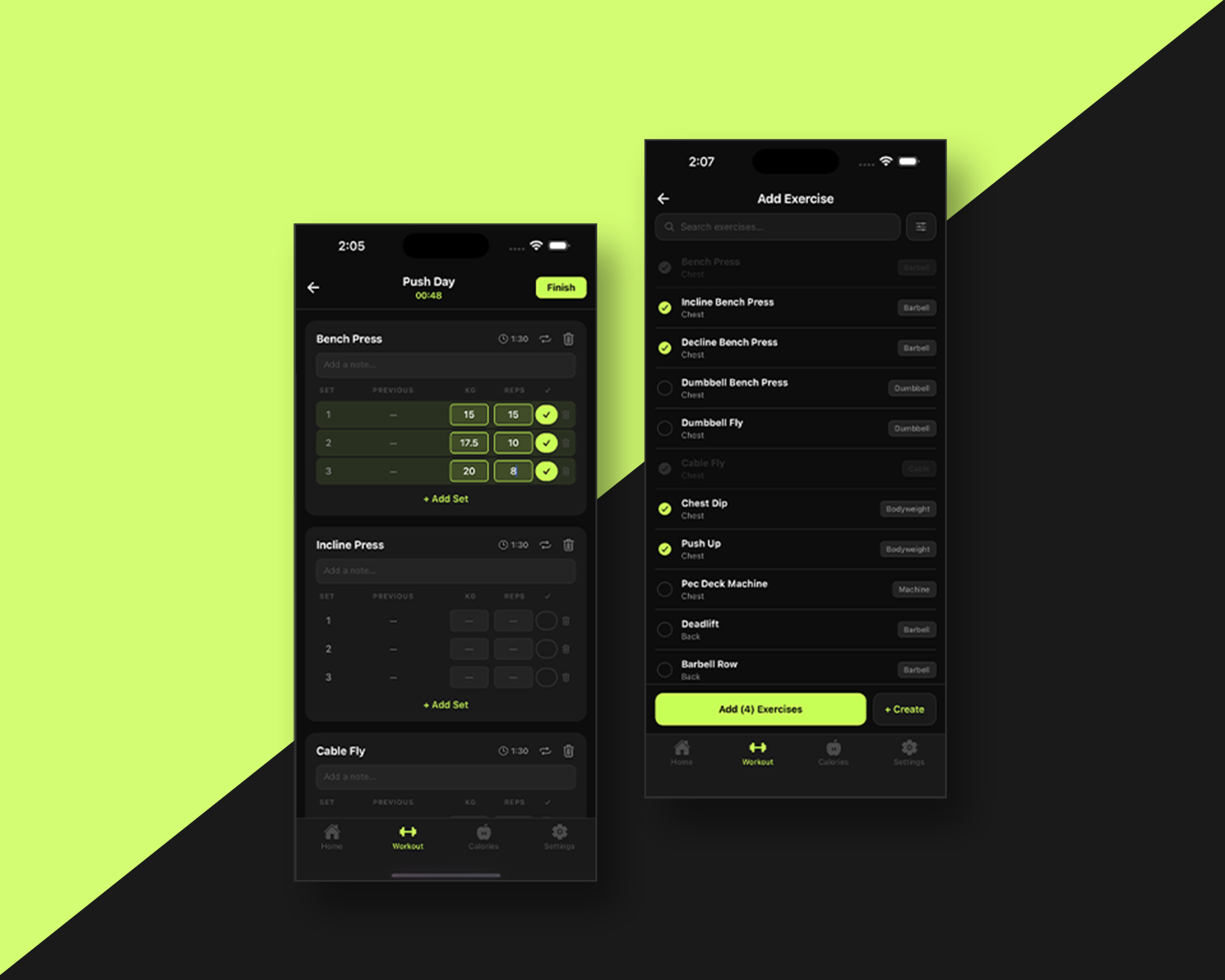
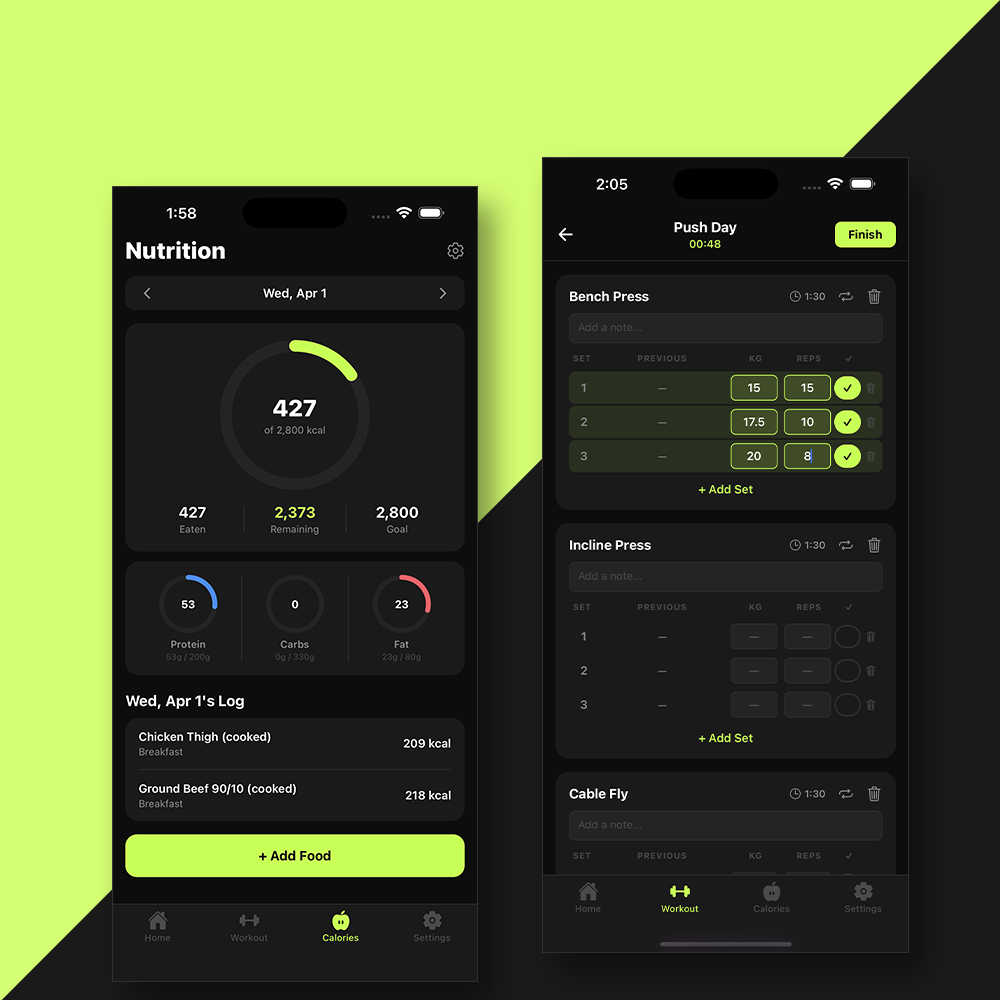
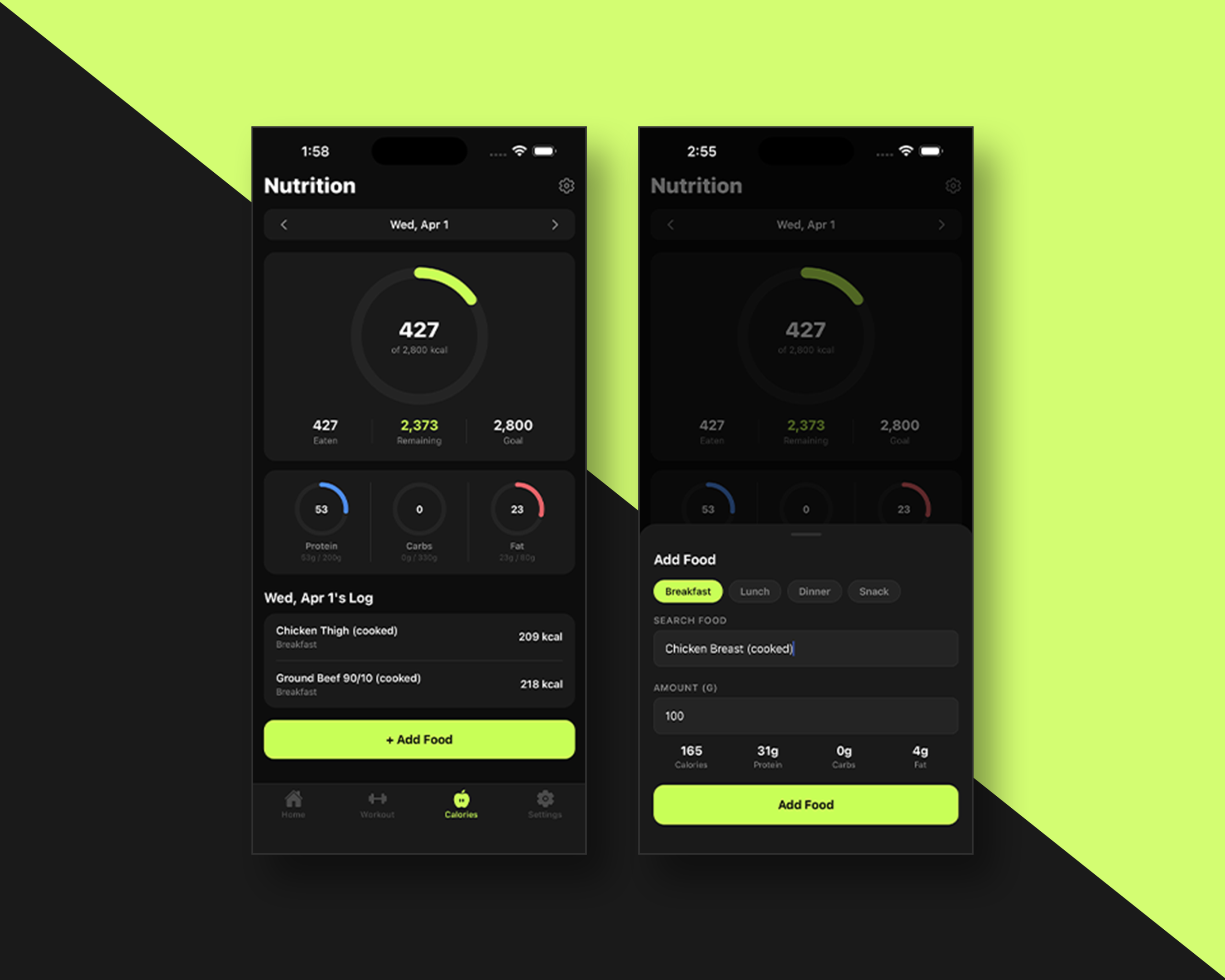
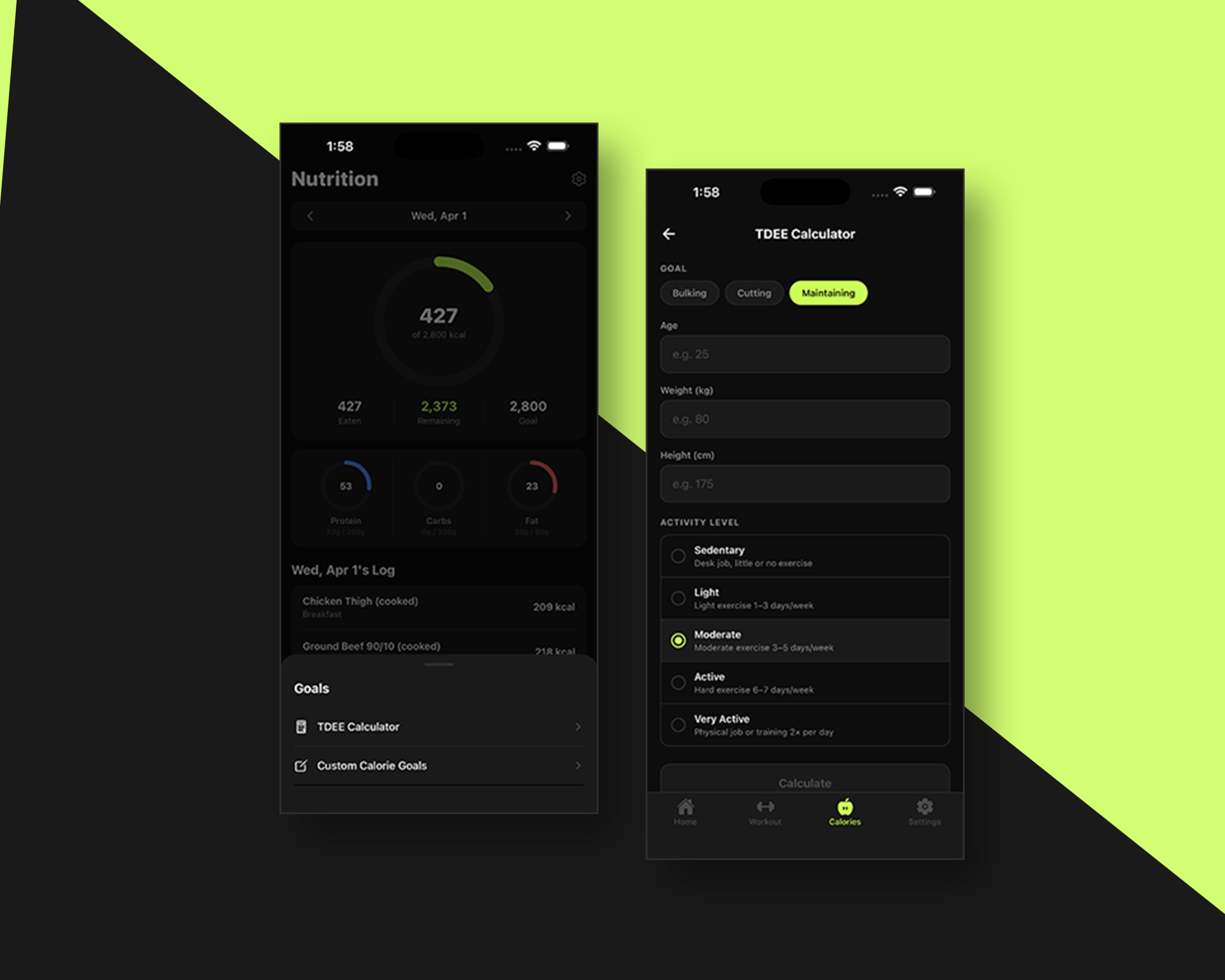
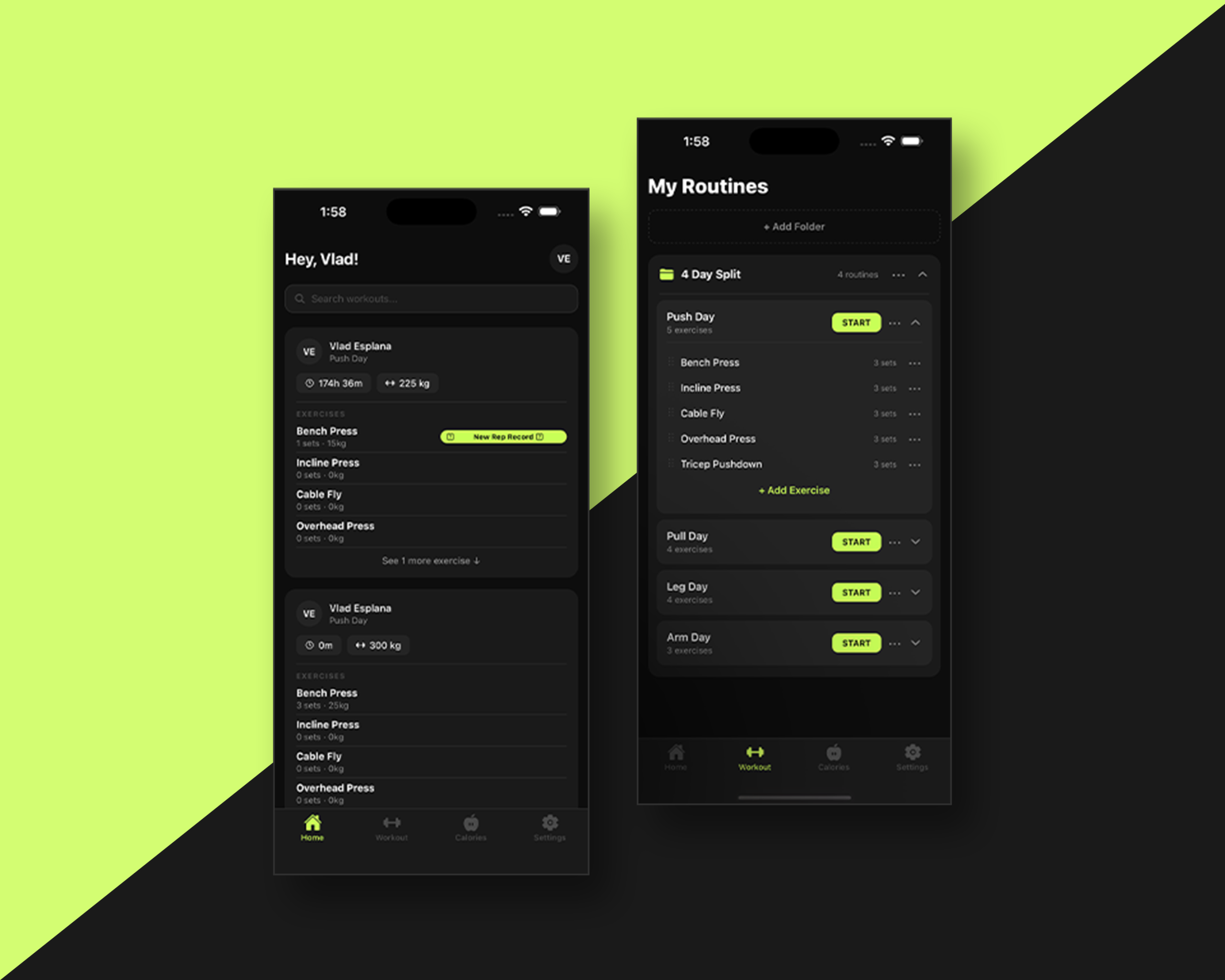
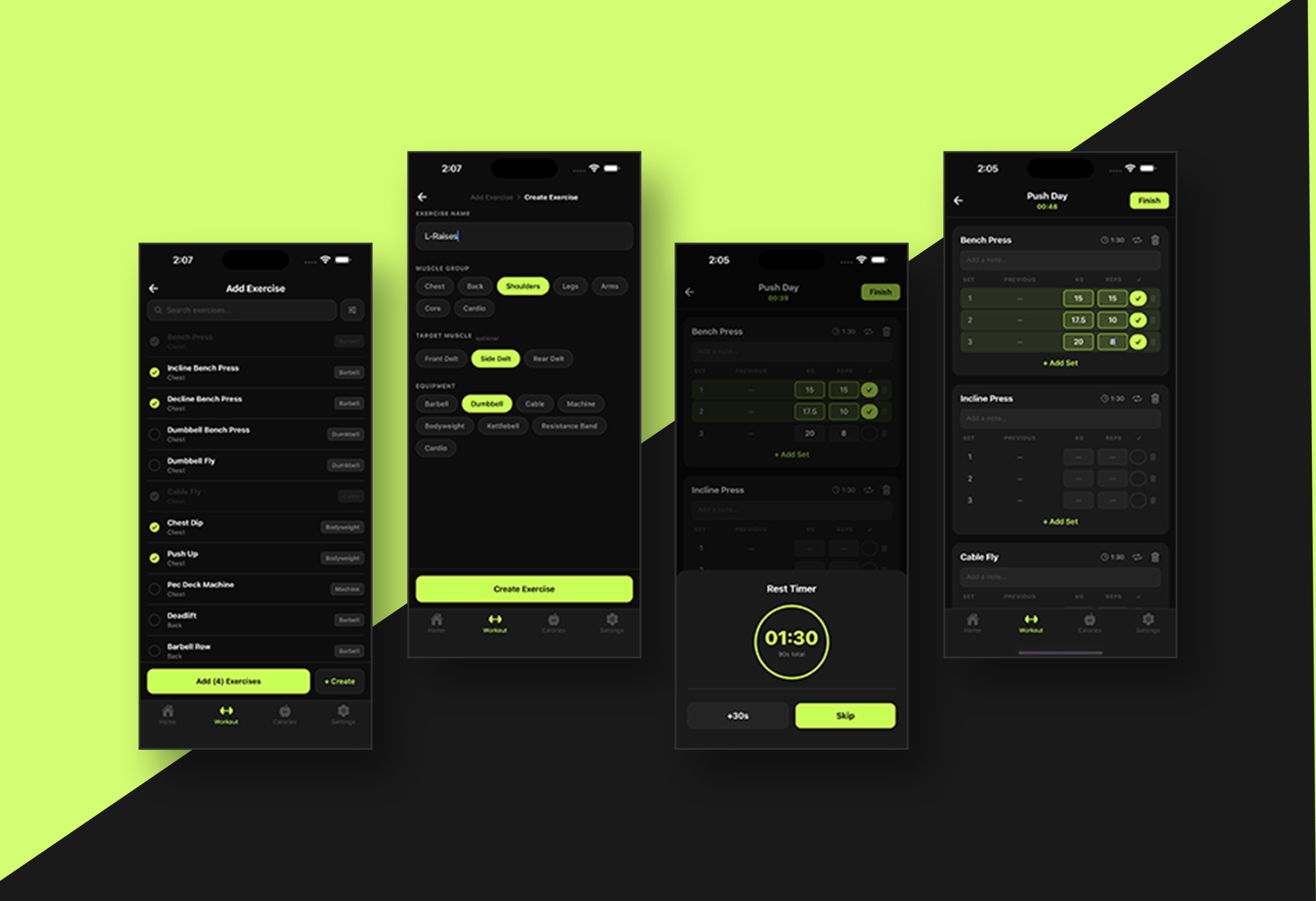
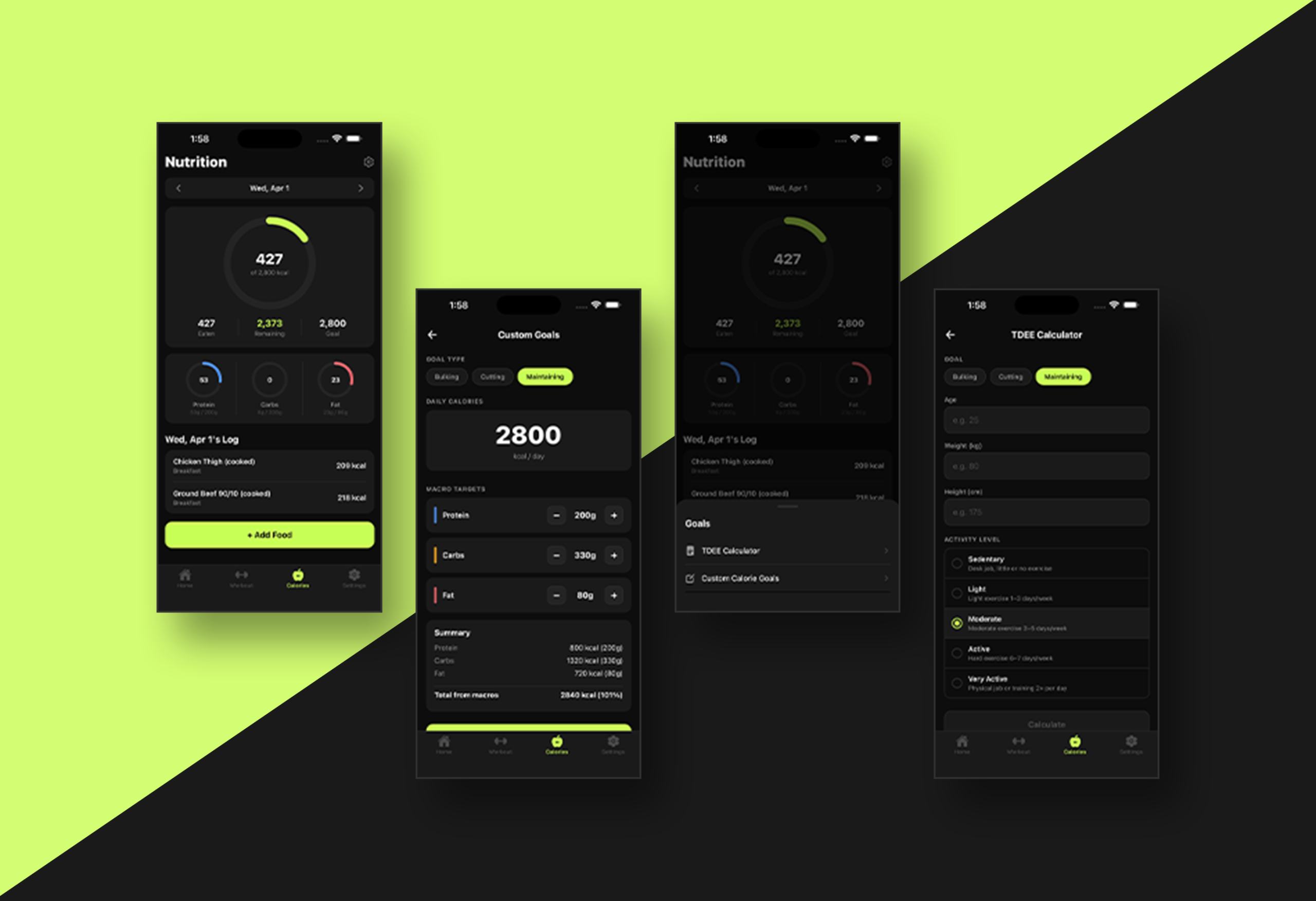
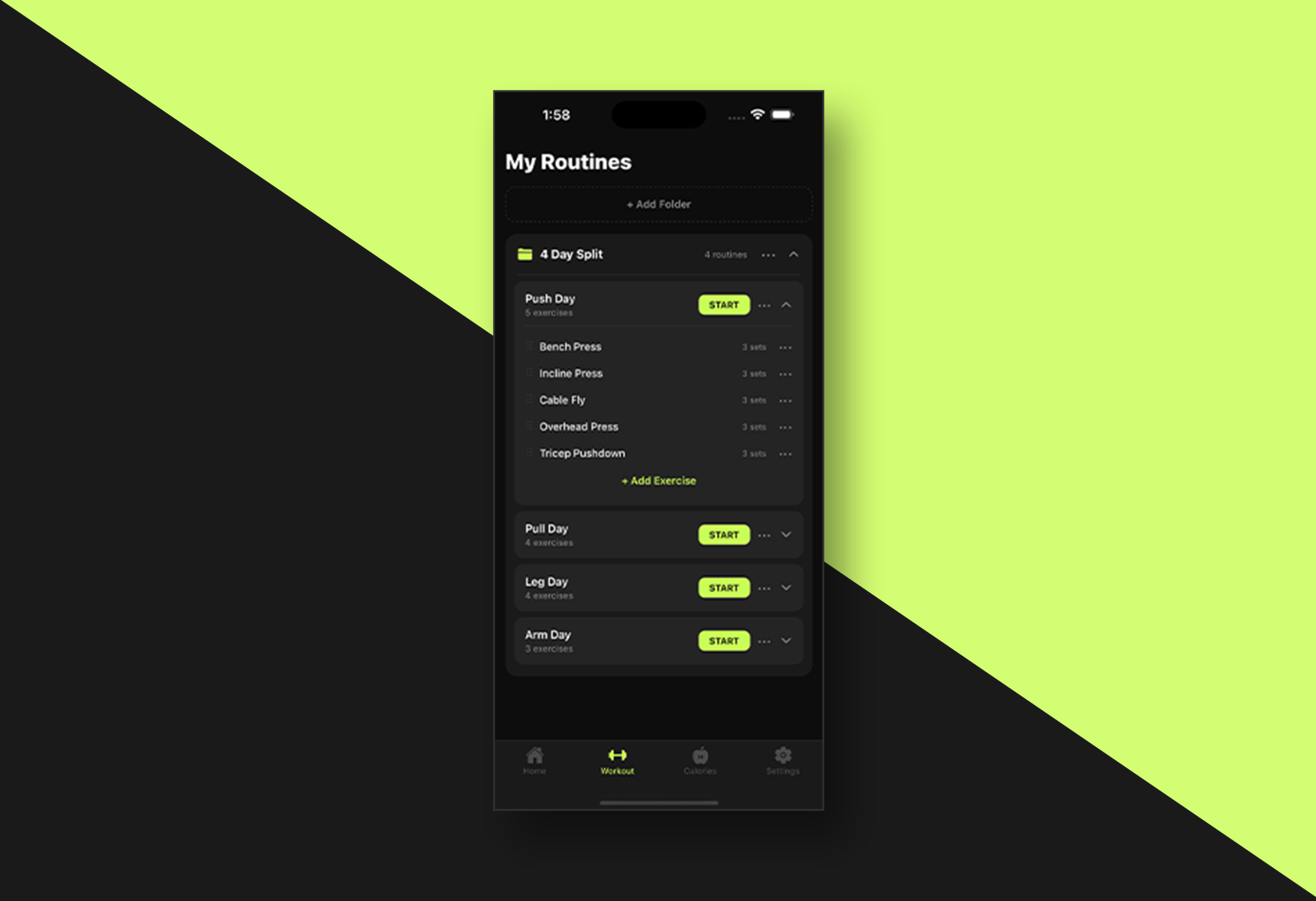
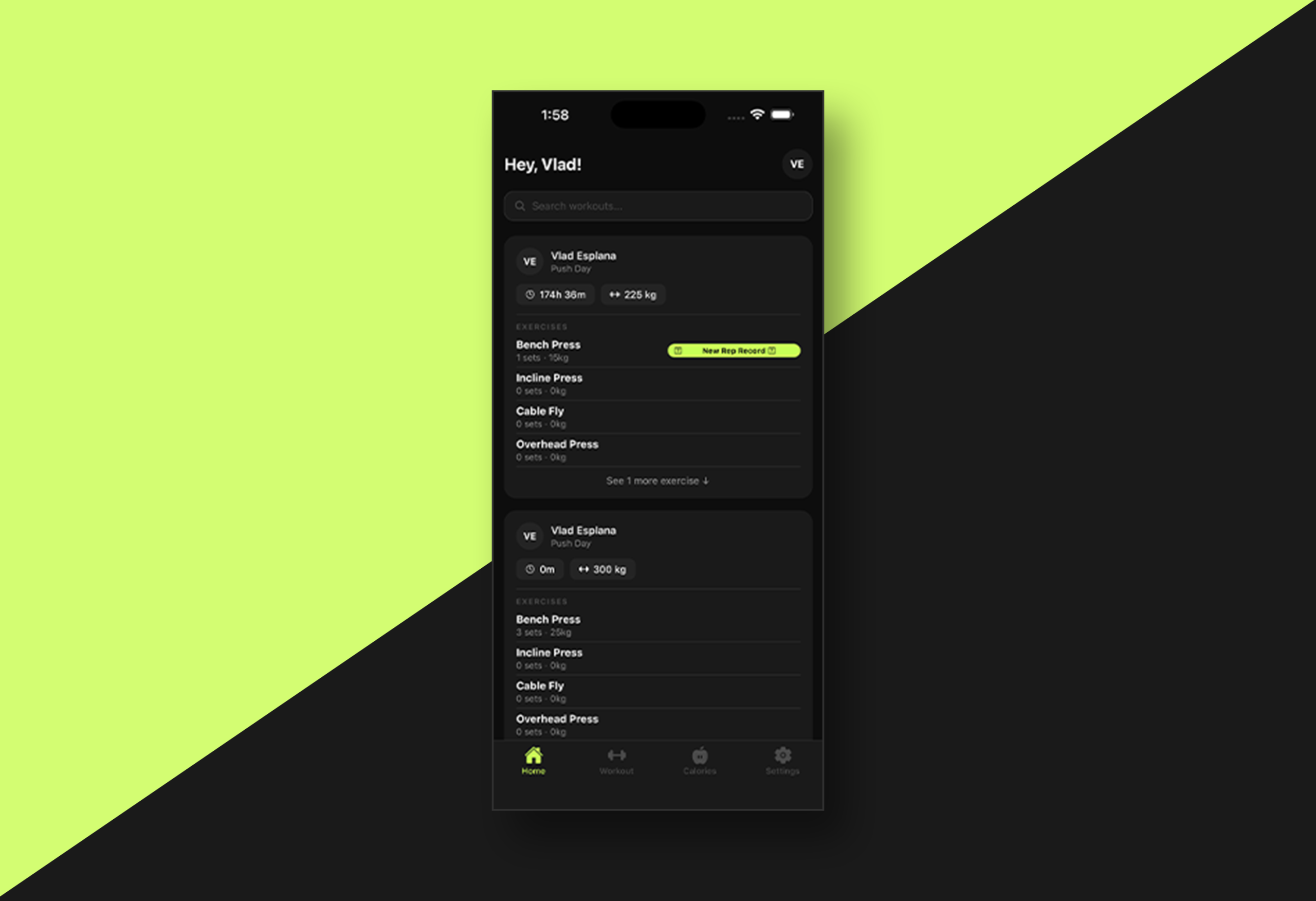
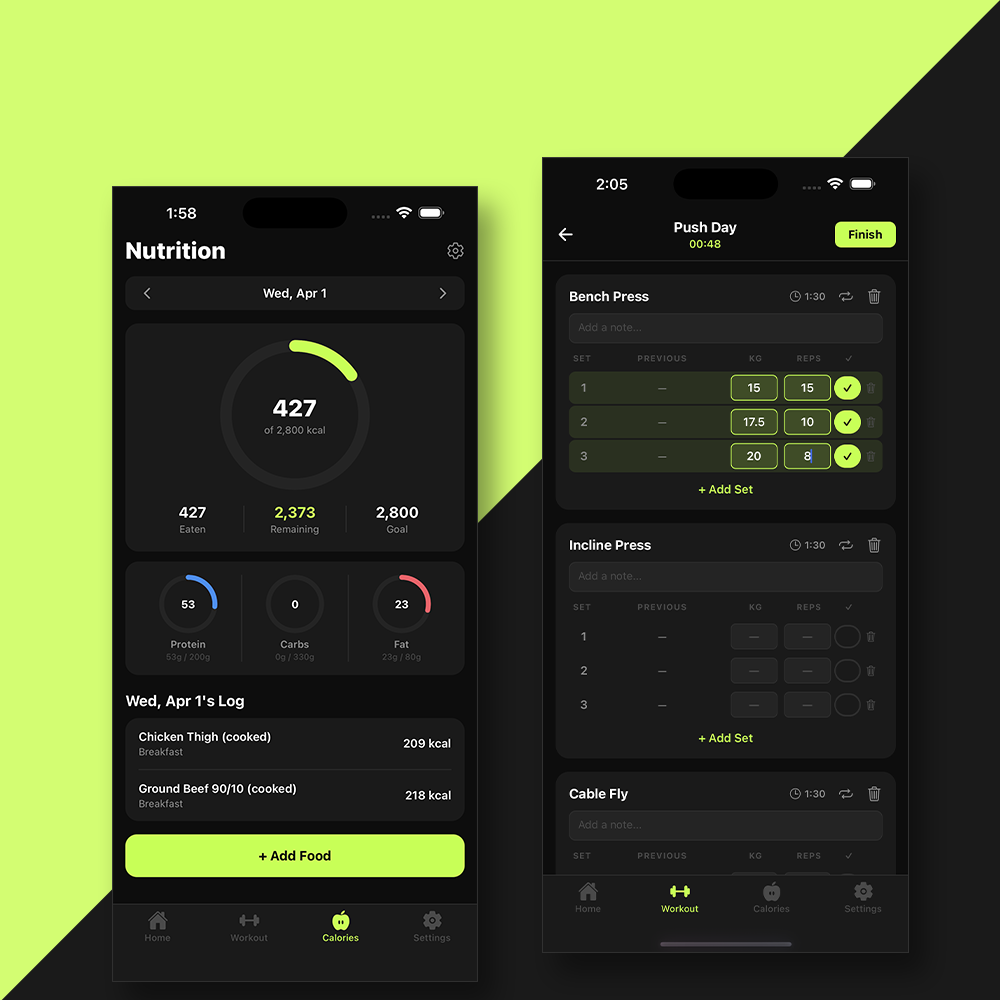
The workout logger is built around how gym goers actually train: Seamless and fast routine organization, drag-and-drop reordering, easy modification, and folder-based structure to keep routines manageable over time. The calorie tracker is purposeful and direct, surfacing TDEE-based goals on the main screen without burying them in settings menus.

Two features. Done right. Nothing more – hence the name, Lightweight.

Result

Lightweight demonstrates the full product design workflow from problem framing to polished, functional UI. The project showcases cross-platform development, Figma-to-code execution, and deliberate product thinking. Making real trade-offs to serve a specific user rather than trying to serve everyone.

As a portfolio piece, it reflects the ability to scope and ship a focused product independently: identifying a genuine gap in the market, designing for a specific use case, and building something that feels complete rather than crammed.

Gallery

Works

  • Figma
  • Photoshop
  • Illustrator
  • Claude Code
  • Figma
  • Claude Code
  • ChatGPT
  • Adobe Photoshop
  • Adobe Illustrator
  • Figma
  • Adobe Photoshop
  • Adobe Illustrator
  • Responsive Design
  • Claude Code
  • Figma
  • Adobe Photoshop
  • Adobe Illustrator
  • Responsive Design
  • Webflow
  • Webflow
  • Adobe Photoshop
  • Adobe Illustrator
  • Responsive Design
  • Figma
  • Adobe Photoshop
  • Adobe Illustrator
  • Stock Images
  • Figma
  • WordPress
  • Elementor
  • Adobe Photoshop
  • Adobe Illustrator
  • Figma
  • WordPress
  • Elementor
  • Adobe Photoshop
  • Adobe Illustrator
  • Figma
  • WordPress
  • Elementor
  • Adobe Photoshop
  • Adobe Illustrator

To be added soon!